
Select and Reorder Search Result Columns
Last updated June 16, 2025Avantis allows you to customize your results grid by selecting which columns to display and arranging them in your preferred order. Follow these steps to manage your columns efficiently.
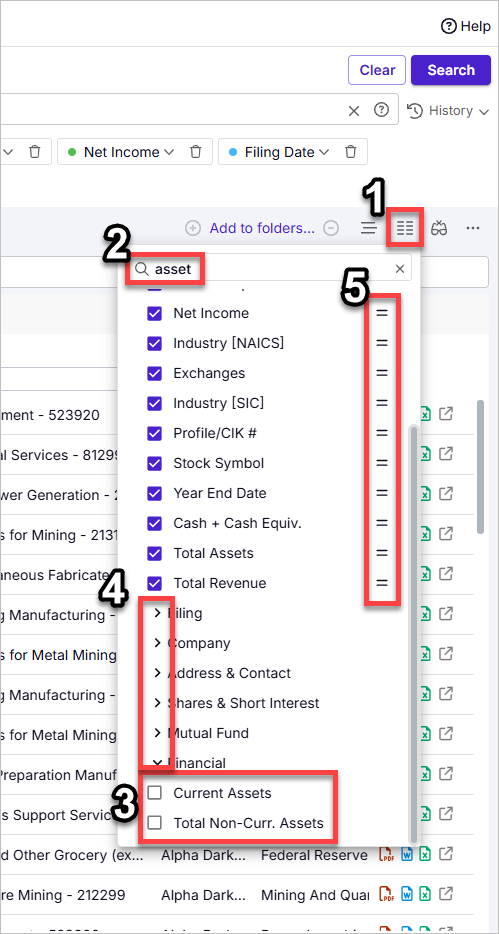
How to Select and Sort Columns:
-
Click the Column Selector icon (two columns side-by-side) in the upper-right corner of the results grid.
-
You may search for particular criteria
-
Criteria matches for your search appear below the list here
-
You may also open categories to see the criteria nested under them
-
Use the hamburger icon to sort your criteria column order
Video: Selecting and Sorting Columns
Was this article helpful?